Case Study: GetWellNetwork

A clinical workflow and childhood development screening application, developed at Seamless Medical Systems (acquired by GetWellNetwork)
Overview
At Seamless (acquired by GetWellNetwork) we developed an iPad product for patient engagement. The initial vision was to create a digital replacement for the patient registration forms required by for medical visits
After I joined, our focus widened to include two areas desired by customers:
- The need to integrate with various EMR (electronic medical record) products, so form input could be mapped and updated in real time to the patient record.
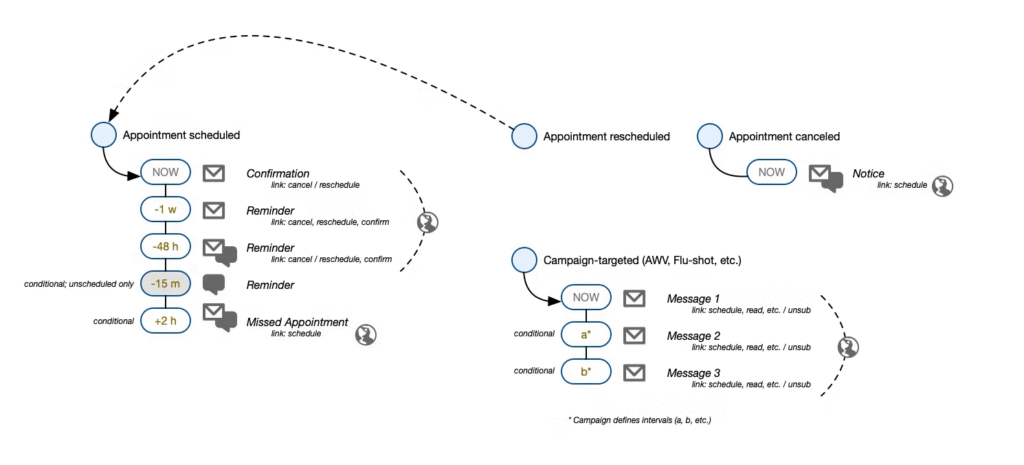
- A more comprehensive “registration flow,” to support mobile pre-registration and notify patients with appointment reminders and deliver educational content—before and after their appointment.
Design Discovery
I saw an opportunity to address new use cases that were even more pressing for our community health customers. They experienced a lot of problems administering childhood development screens, as well as adoption of new workflows that could support remote video appointments, manage wait times, and more efficiently share patient medical concerns.
I met with numerous patients and clinical staff, reviewed competitive offerings, and developed requirements and designs to address these problems.
Deliverables
Provider App

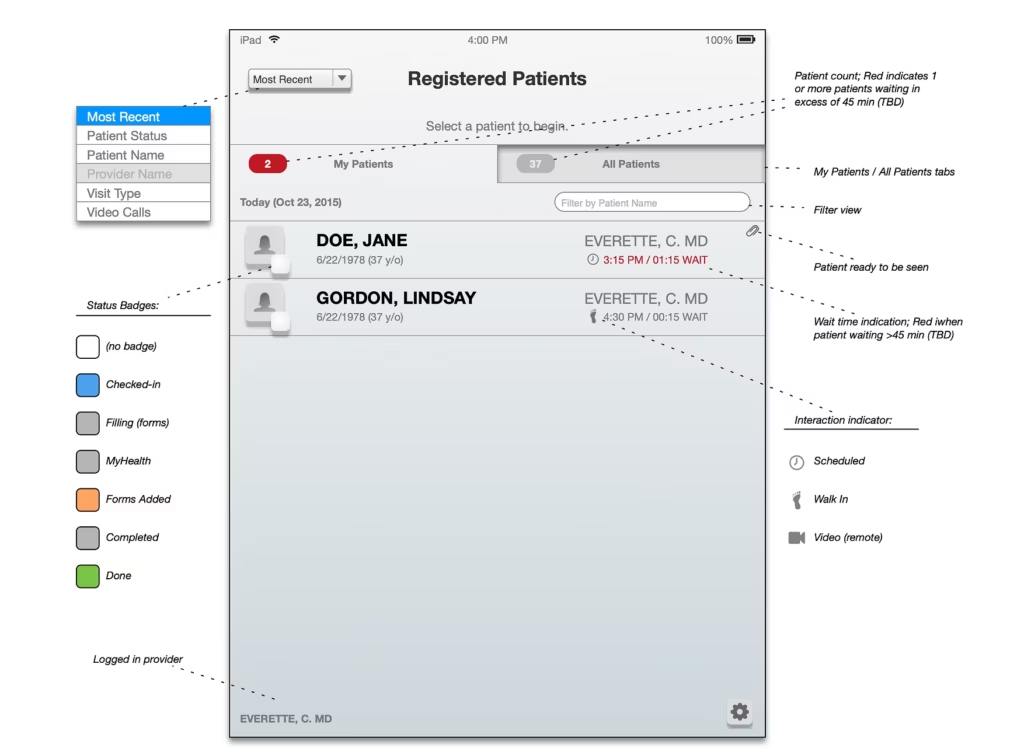
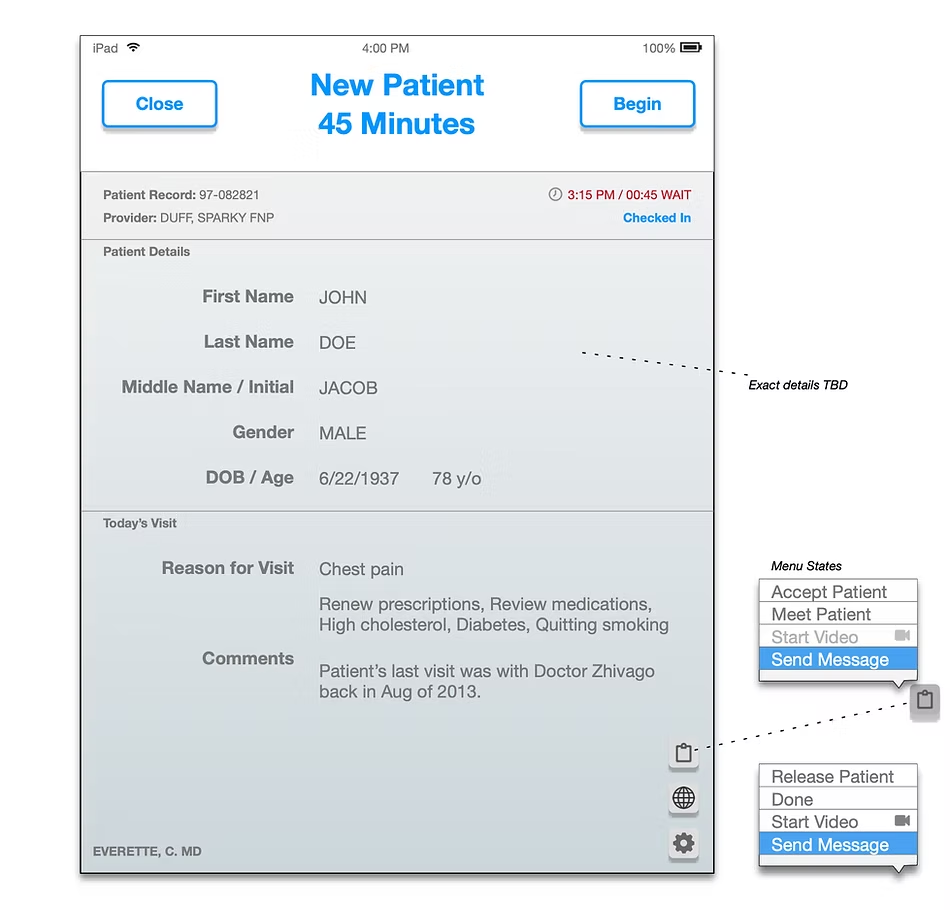
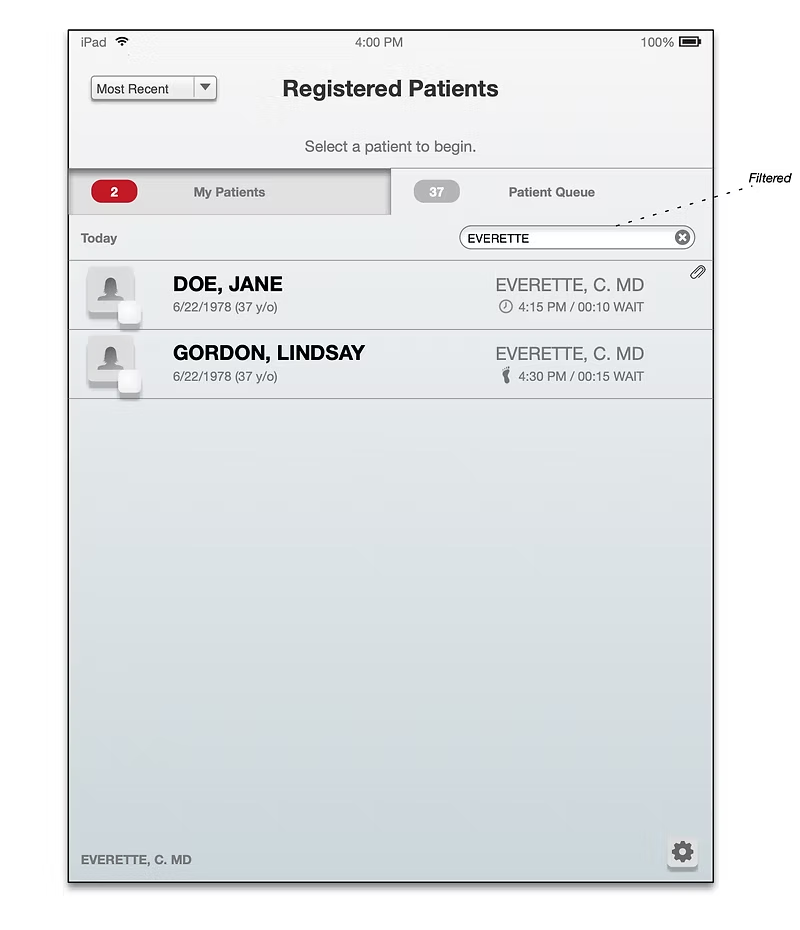
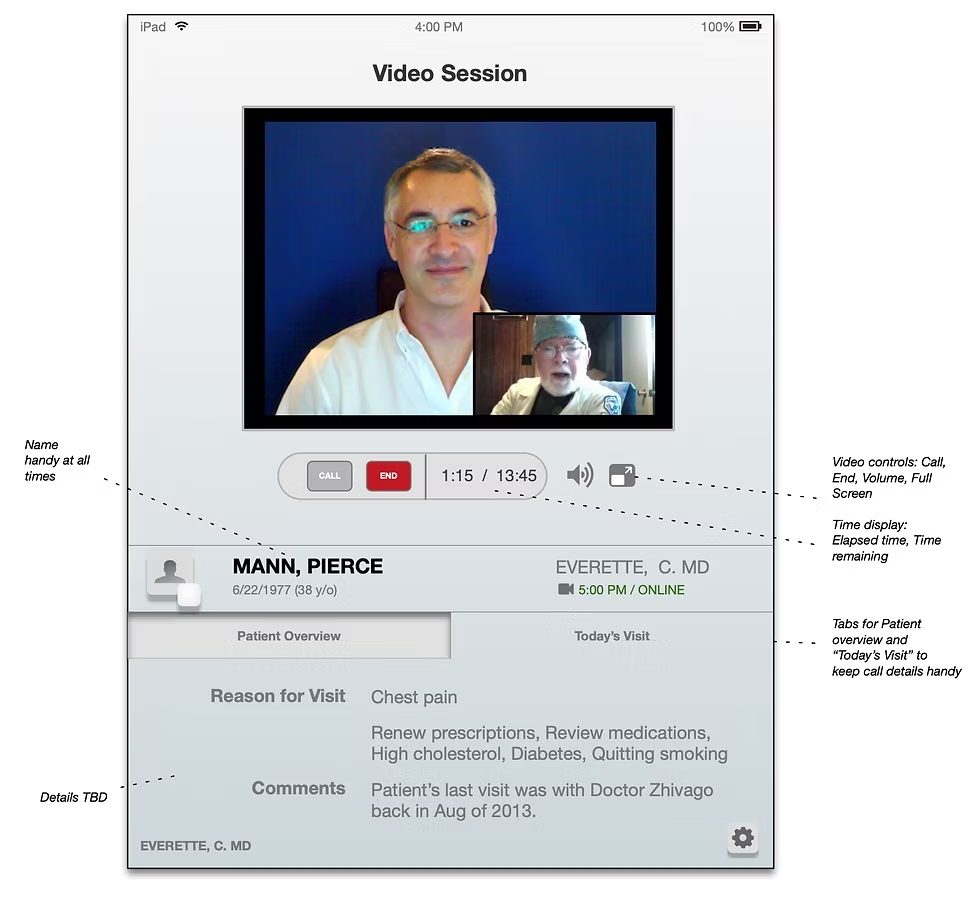
Through my research, I was able to identify a few key areas, where care providers could benefit from the data we managed for the practice. Our goal was to determine how we could leverage our existing application (or a portion of it) to build an experience for providers that would address these needs:
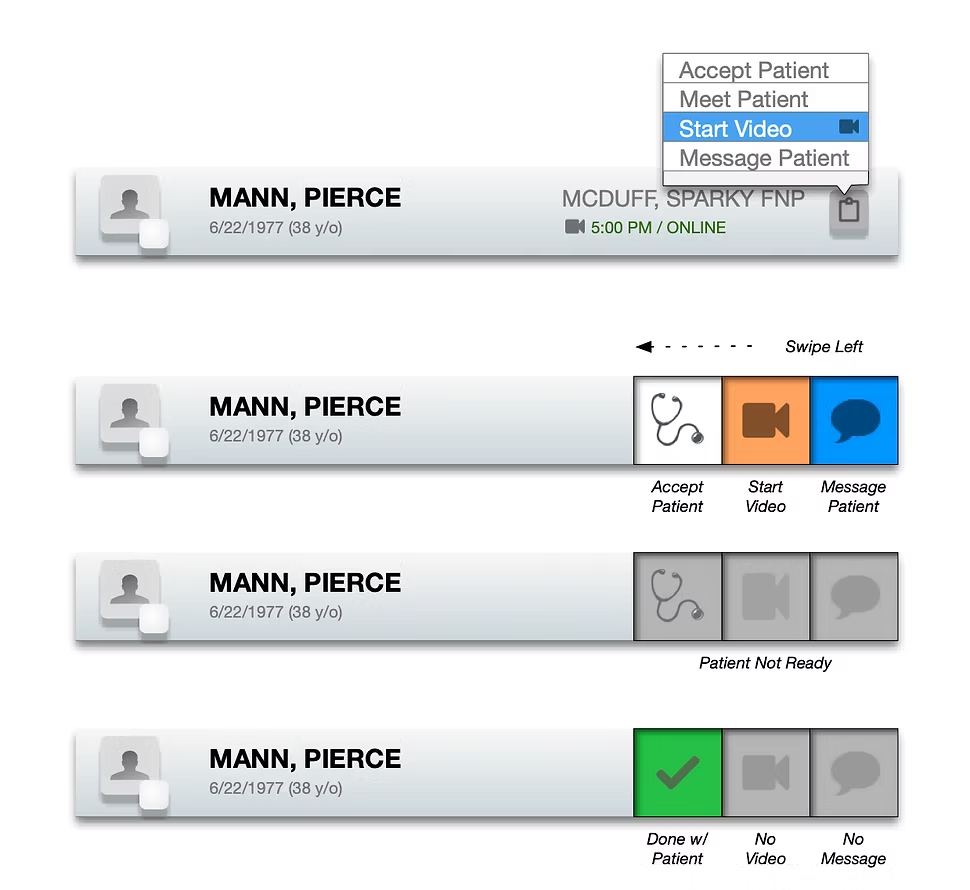
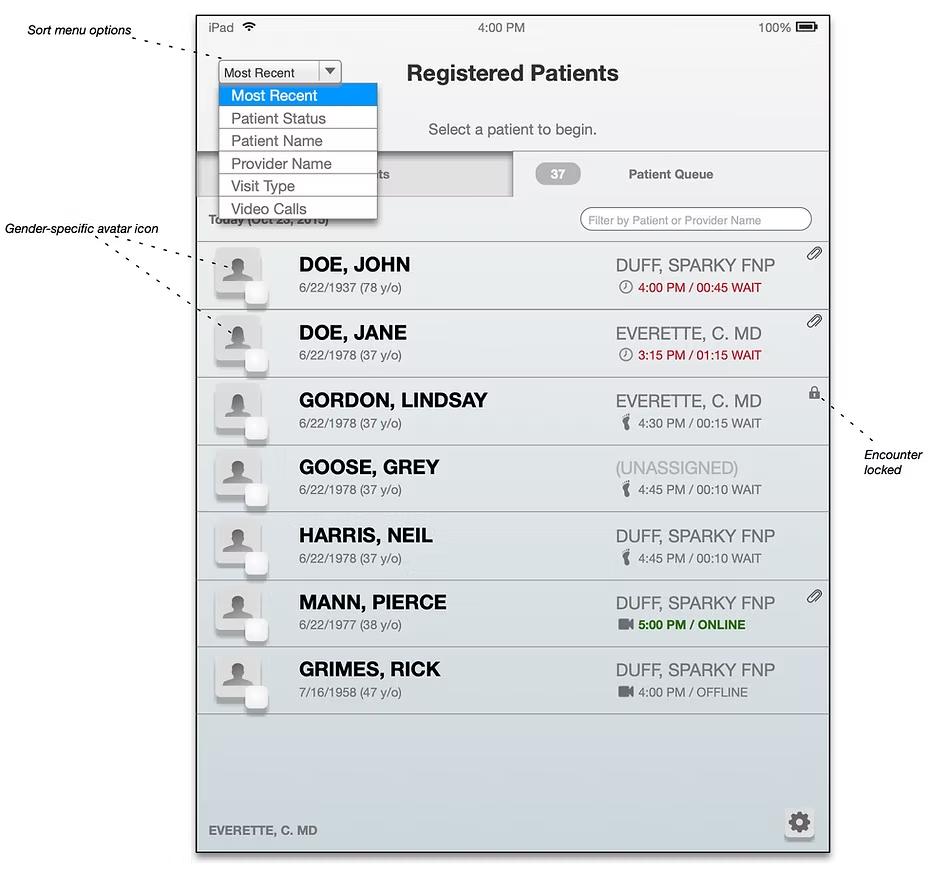
- View the patient queue and wait times, then be able to admit them as soon as their forms are completed and signed. This would improve the patient experience in the waiting room and reduce overall wait time.
- Differentiate the patients listed in the queue by status (scheduled, walk-in, video) to better manage hand-off and breaks with staff.
- Conduct a video appointments through the iPad app in a private area, rather than open terminals in the main office.
Ages & Stages Questionnaires
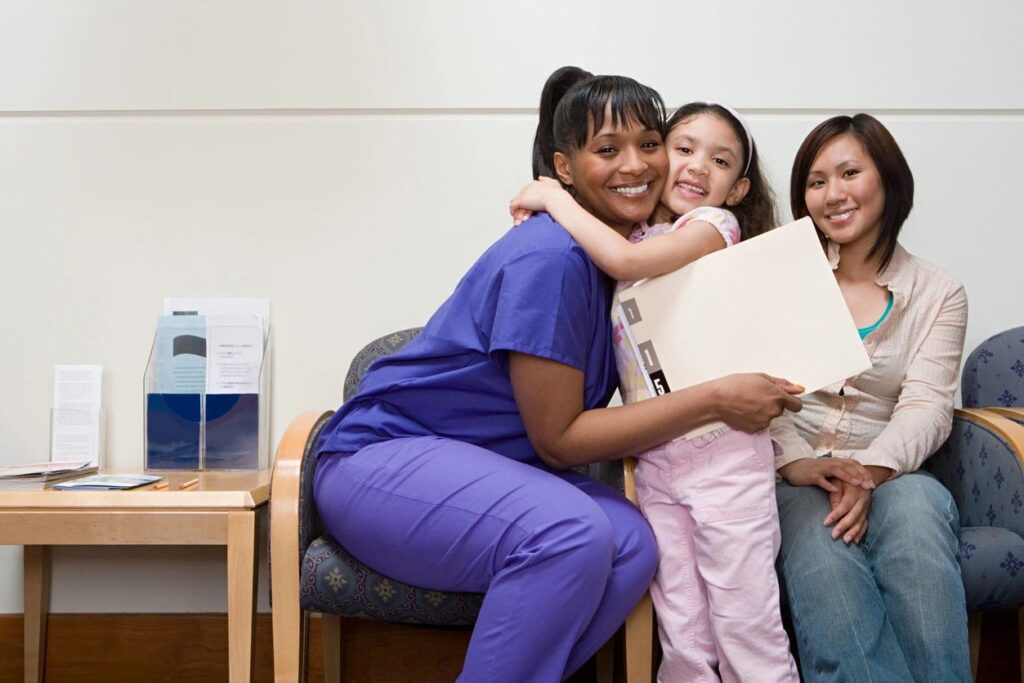
One of our customers in California was using childhood development screens produced by Brookes Publishing. They were interested in leveraging our platform as a replacement for paper forms.
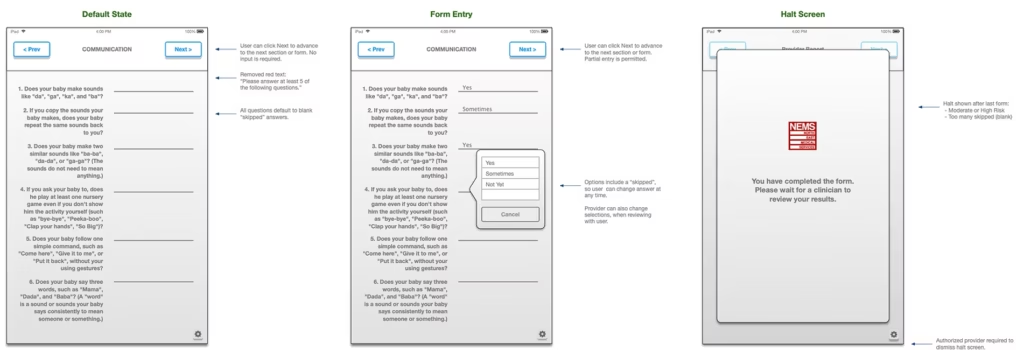
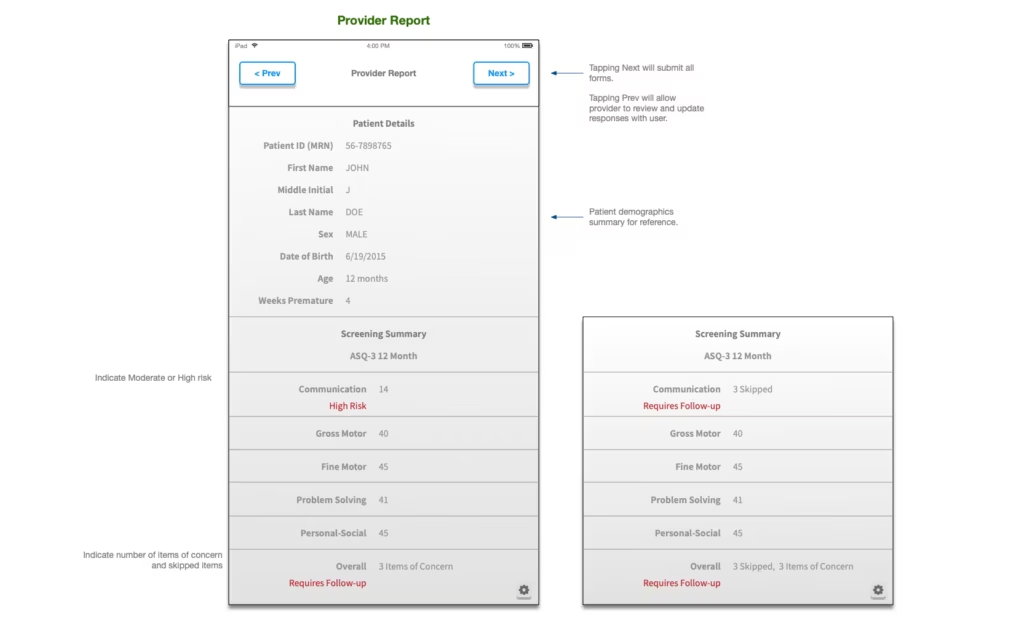
While researching how these screeners could be translated into a digital format, I identified a more fundamental problem with the use of these forms in the existing workflow: scoring. It was taking specially-trained medical staff a considerable amount of time to hand-score and develop plans for patients, using the paper forms—oftentimes incorrectly filled-out.
I designed a new workflow that validated input along the way and intercepted problems during and after the patient (typically a parent on behalf of a child) was going through the screening process. I then developed requirements for automating the scoring process and designed UX/UI for patient interaction and in-app reporting for care providers.