Case Study: G5

Visualizing and optimizing the estate marketing lifecycle with artificial intelligence at G5, a RealPage company.
Overview
G5 provides websites and digital advertising for customers in the property management space. Their customers operate multiple properties and are continuously making changes to ad campaigns and associated images, text, and more—all while seeking objective measures of advertising performance
All of this work is highly manual for both G5 and its customers. Independently, G5 had invested heavily into machine learning to help automate and better measure the effectiveness of its digital advertising campaigns.
Discovery
I had a prior relationship with G5, but was hired as an independent product design consultant to develop user personas, journey maps, requirements, and prototypes.
I worked with G5’s internal teams and several customers with the goal of developing a solution that leveraged this new technology to provide enhanced reporting and self-service capabilities. The result was (initially) called the “Intelligent Marketing Cloud” and was released over time as various products, following my initial contribution.
Research objectives:
- Identify the most time consuming tasks for internal users and develop a workflow that customers could better handle themselves.
- Work with G5 engineering and product management to understand the new automated (AI-driven) campaign product components and research the best methods for demonstrating campaign performance in a web interface and provide customers with better reporting and insights. An additional requirement was to aid their supervised machine learning by providing a mechanism for users to label examples in the training data.
- Systematize and design a modern web UI that also provides a dashboard serving internal and external users with direct access to other G5 products. Pressure-test the prototype with live data and user interactions, then deliver API requirements for G5’s data team, as well as information architecture and UI requirements for their front end developers.
- Conduct internal and external user interviews to identify challenges and opportunities to help guide feature development, following an alpha release. Deliver these insights in the form of high-level product requirements.

Deliverables
Cloud Dashboard
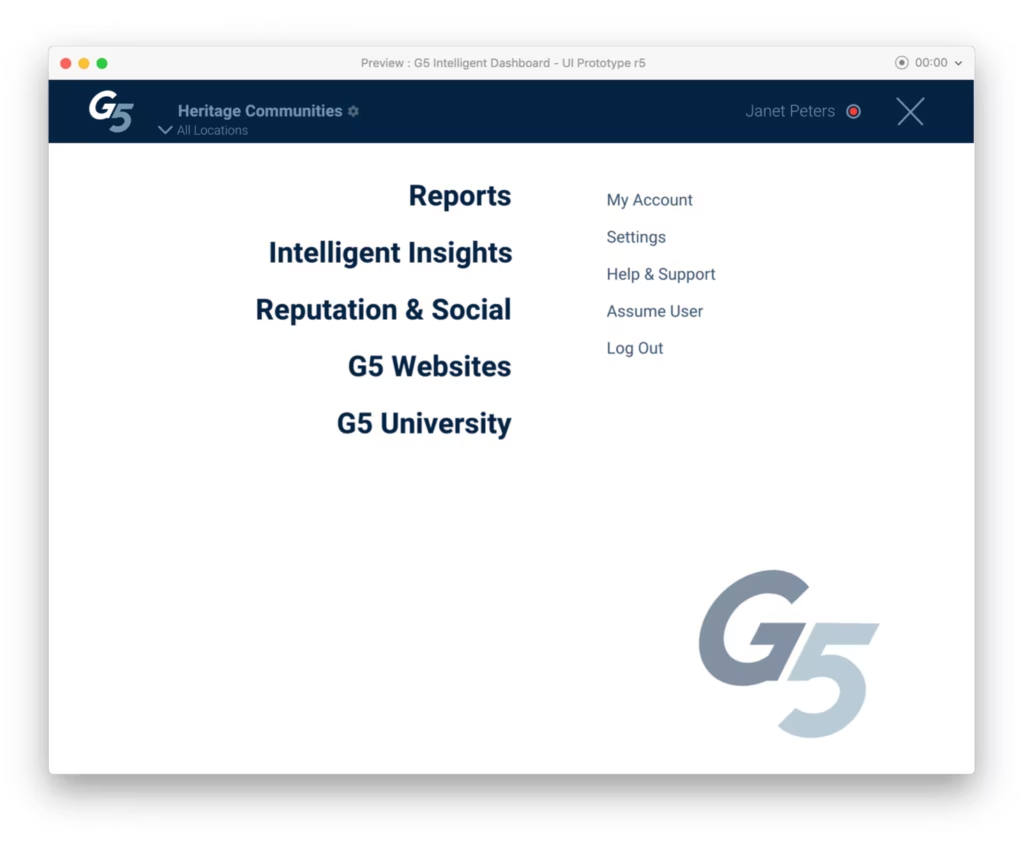
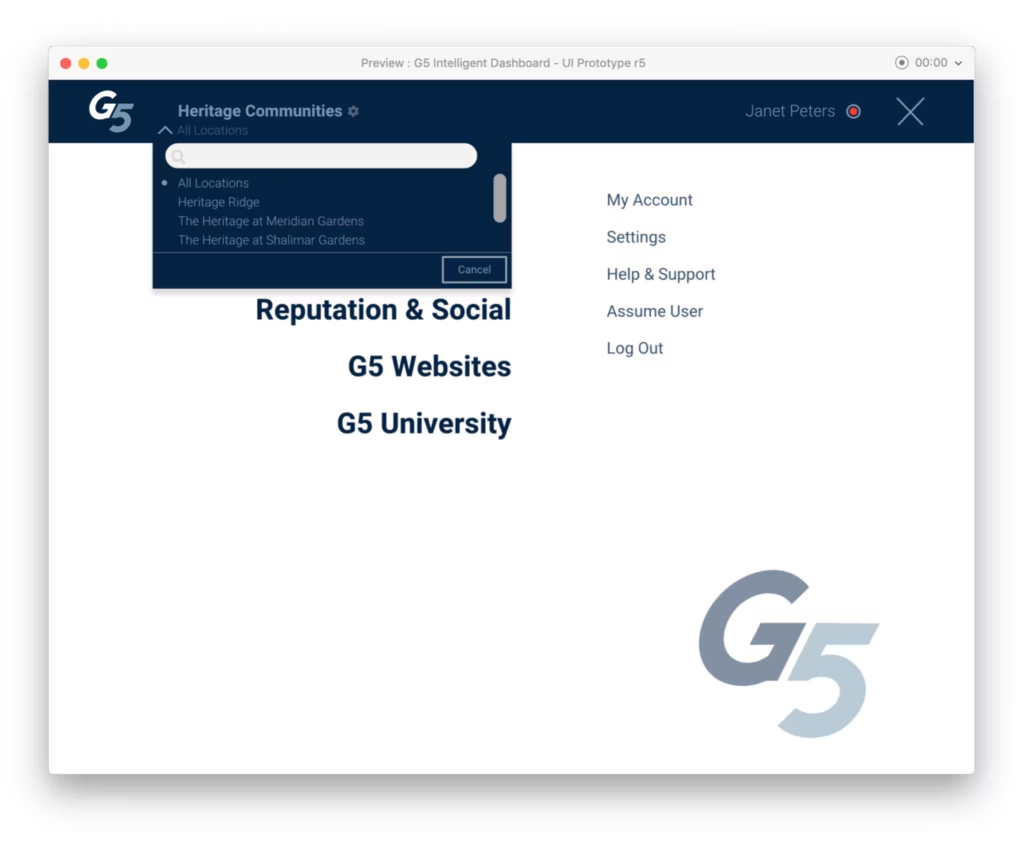
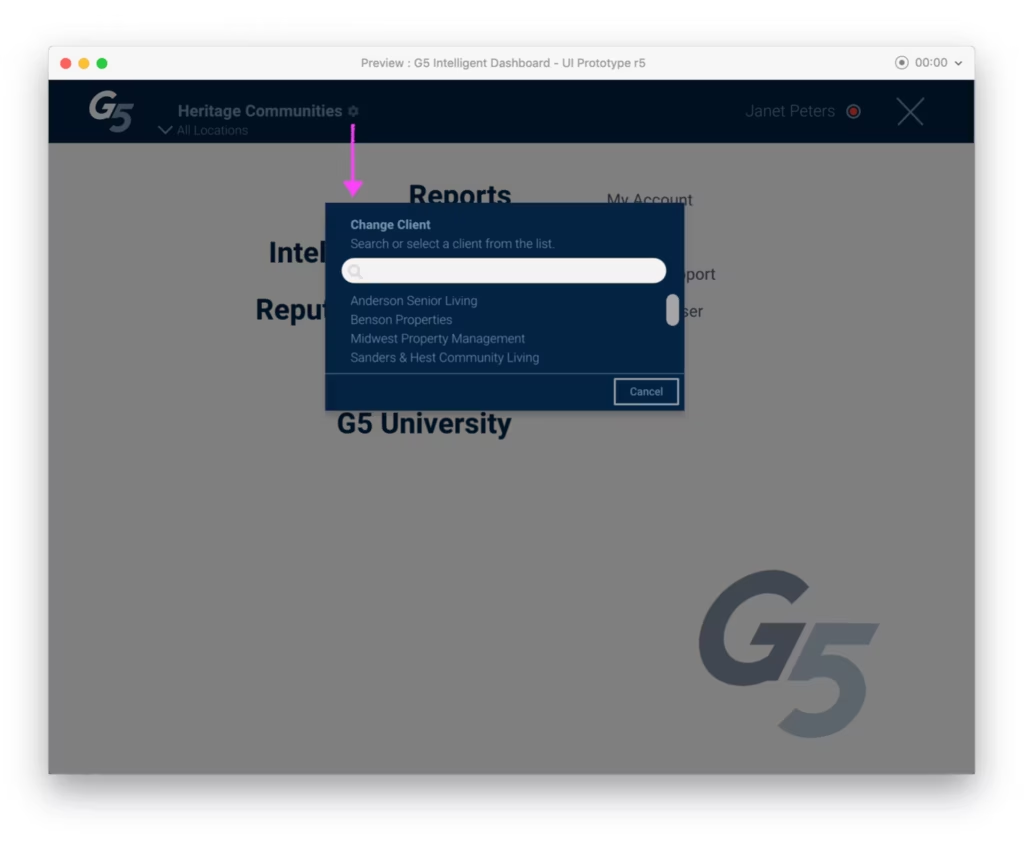
Once logged in, users are presented with a unified menu of options and individual property selector. G5 internal staff may switch among client profiles.
Cloud Floor Plan Manager
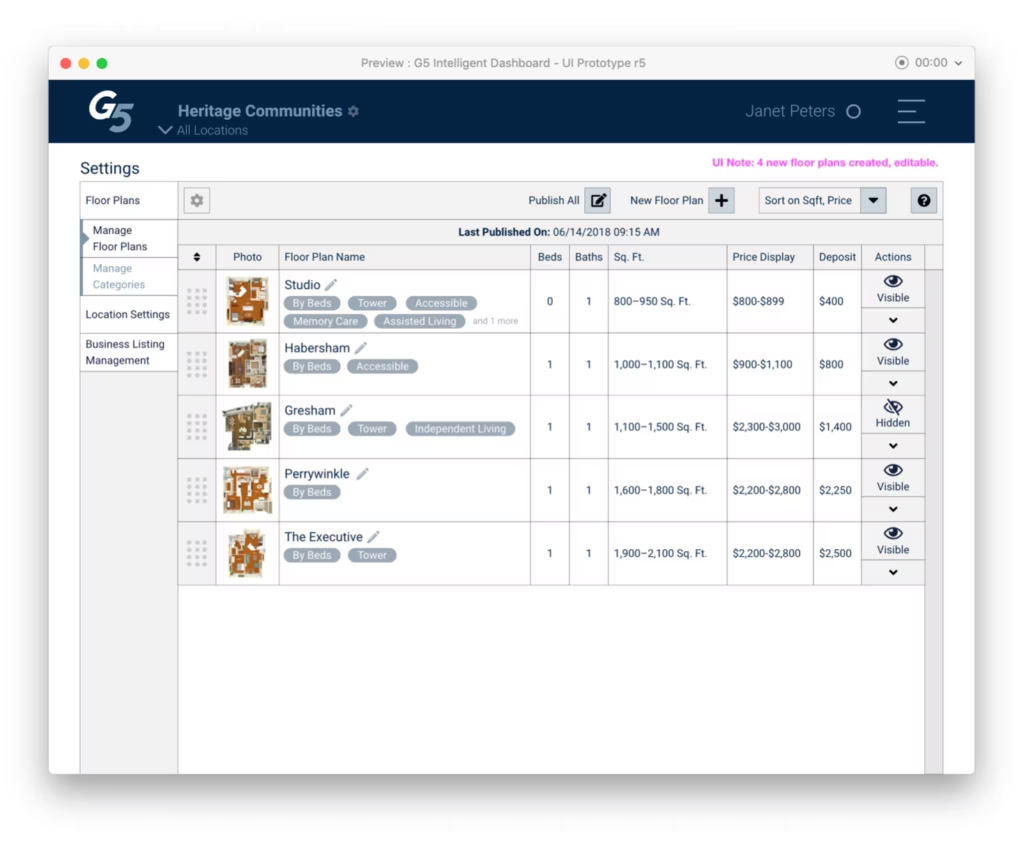
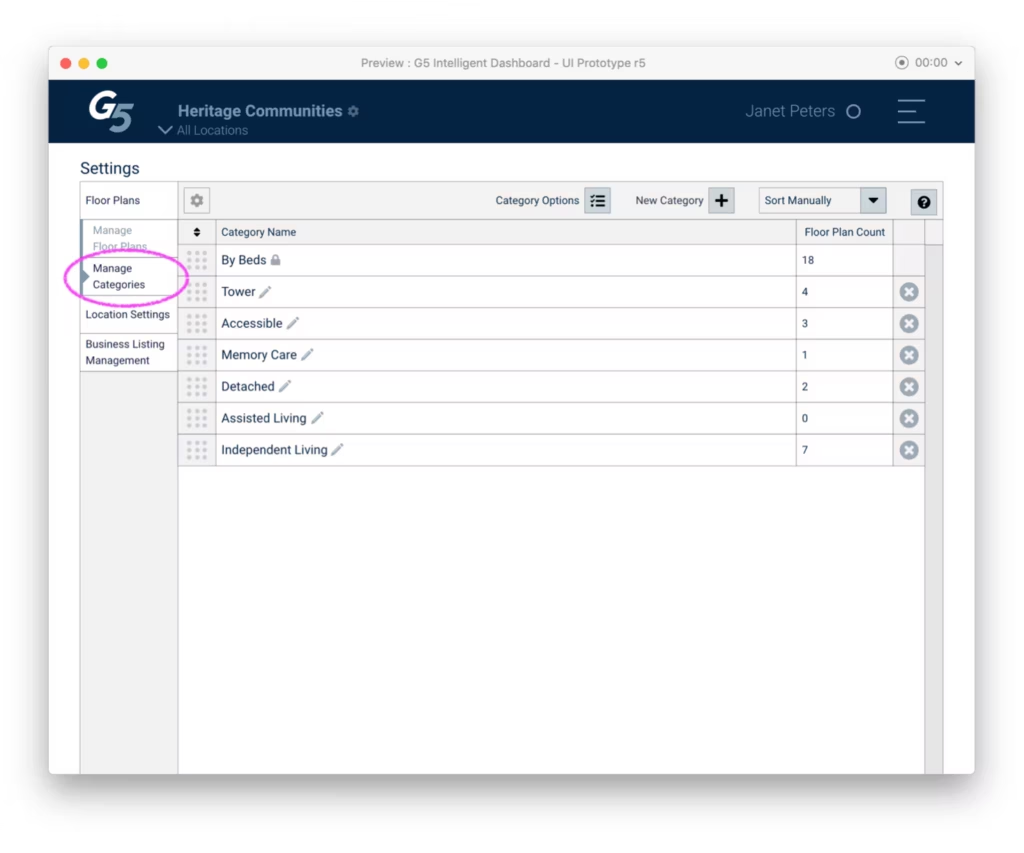
The ability to manage floor plans (for web sites) and categories (for advertising) was identified as a crucial self-service need
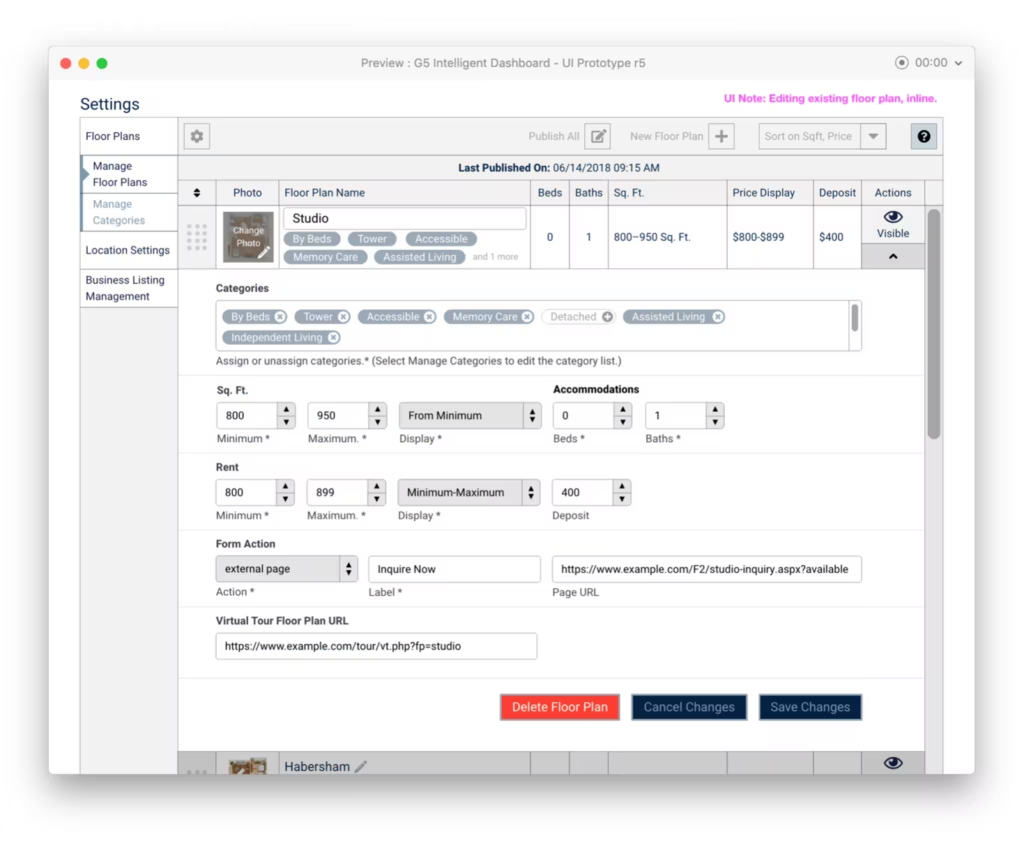
I created a simple table editor with drag and drop sorting to address this need. Both views support inline editing with the ability to expand and access additional data fields. In addition, I wanted to make it easy for users to easily hide things like floor plans that need to be invisible (published) on their property websites. They also needed to be able to create and delete these—and where needed, modal confirmations were displayed.

Intelligent Insights: Lead Scoring
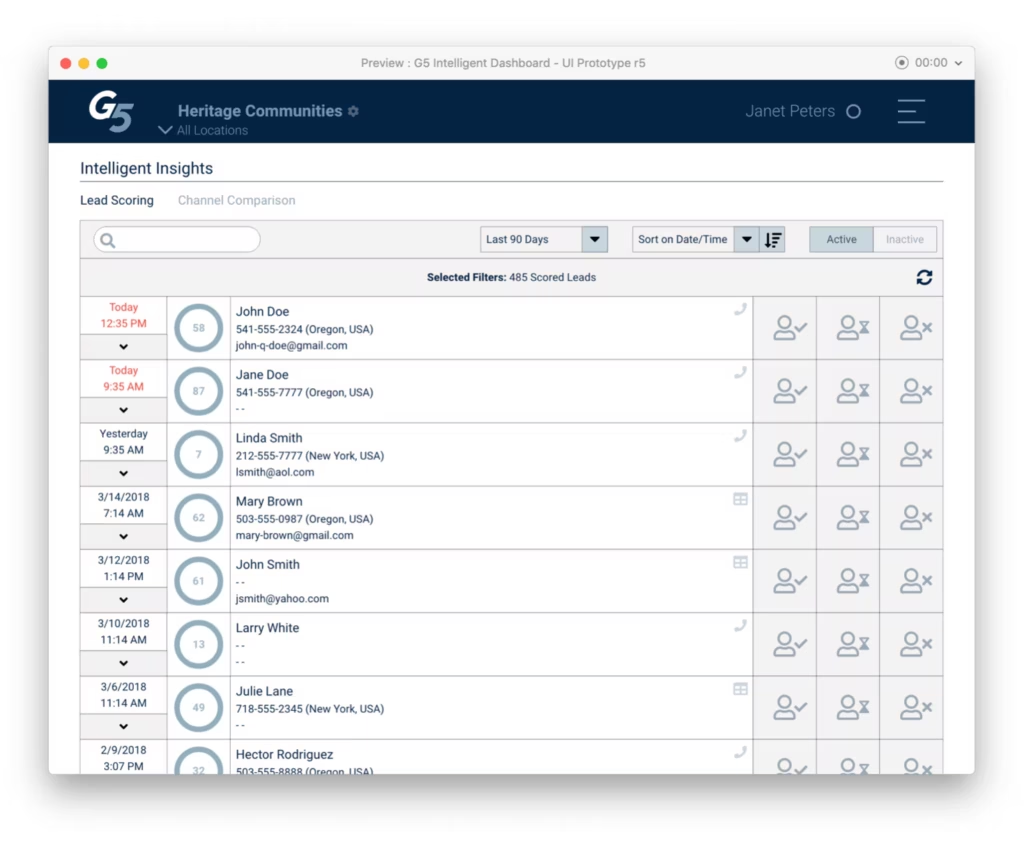
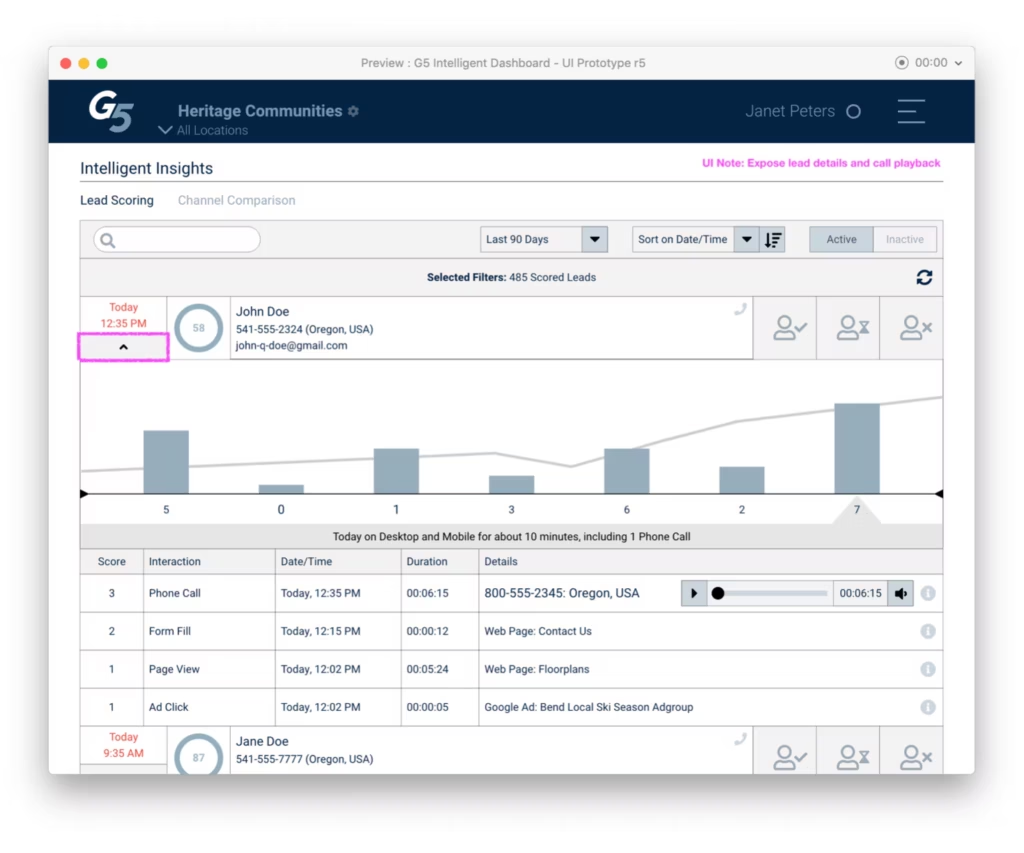
The Lead Scoring feature provides a listing of advertising leads and a way to quickly score individual leads. The results of the interaction were fed as labels back into G5’s machine learning system.
In order to score a lead, users needed context and so a simple click reveals a chart paired with a roll-up of interactions. In the case of phone calls, recordings are made available for playback.
I ran analytics and heat-maps to make some other improvements and to optimize for quick scoring. Later, some indicators of “what the AI thinks is a good lead” were added, exposing users to the underlying machine-derived decisions.
Intelligent Insights: Channel Comparison
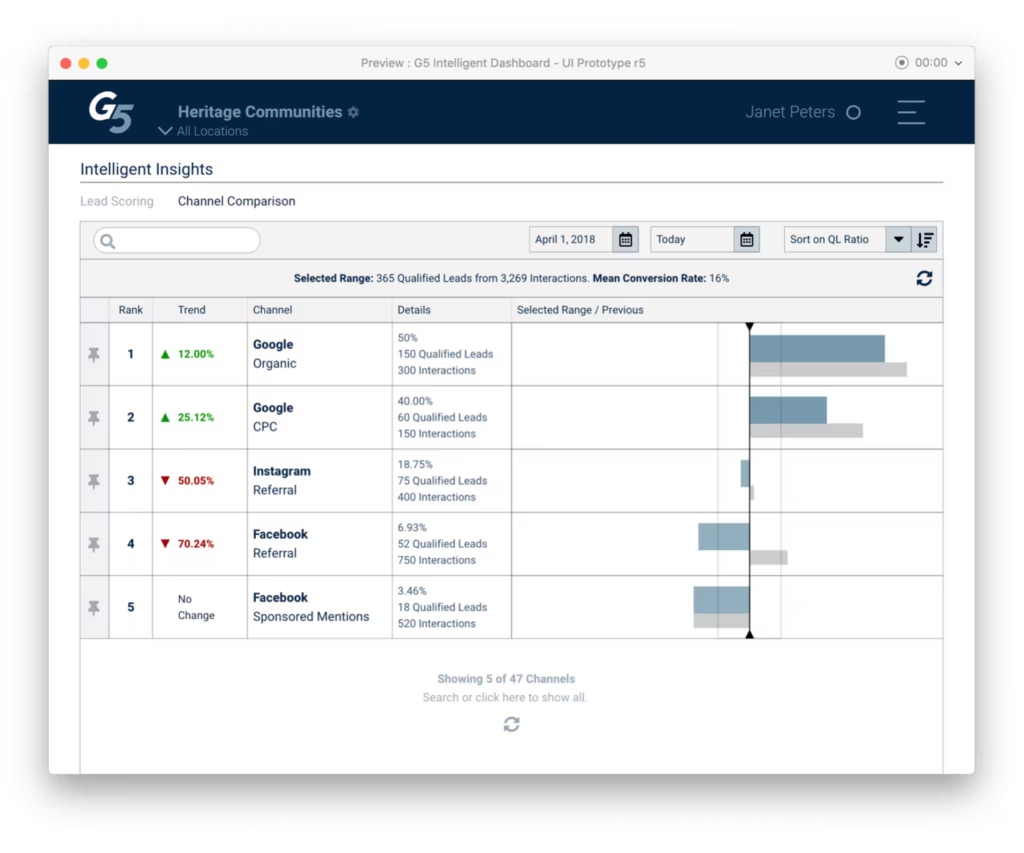
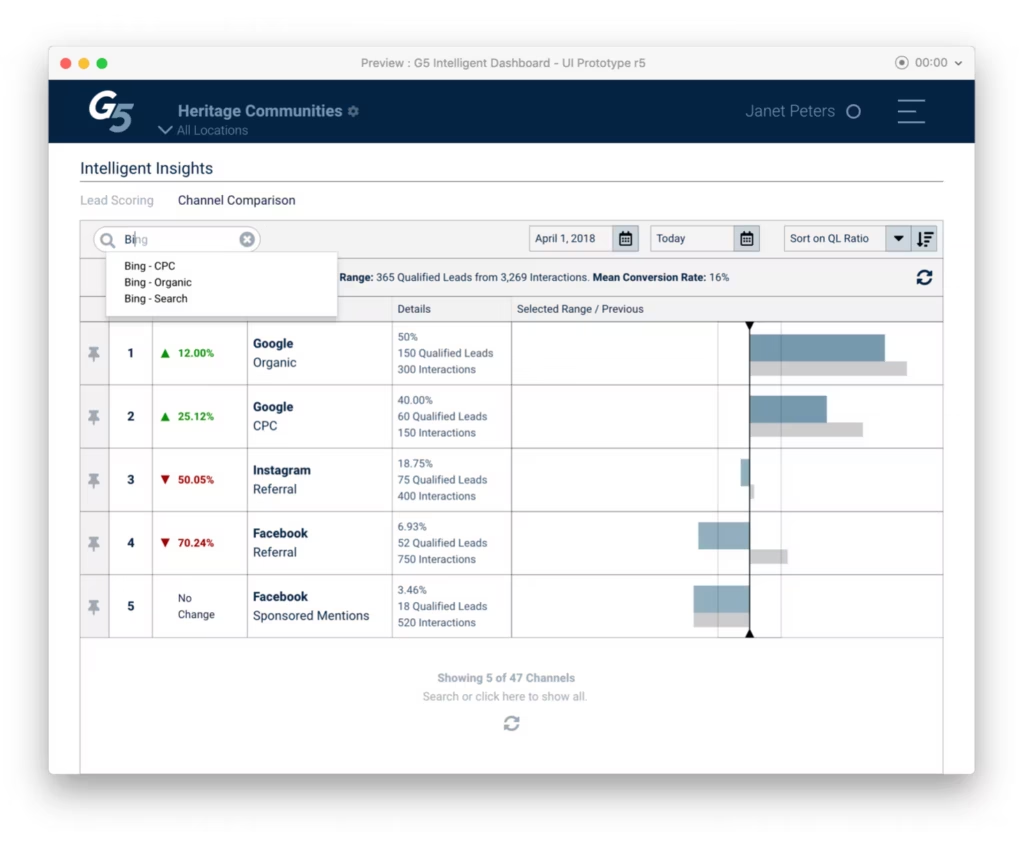
The goal of this part of the application is to demonstrate G5’s advertising performance, across different channels over time. Users also required a way to search and compare channels.
I developed an interface that provides a few ways to filter the view and maintain the items they want to compare in the view by “pinning” them to the top. This worked surprisingly well and users immediately asked for various export capabilities including images they could drop into presentations.